

MCP server overview
# Ableton Live MCP Server
📌 Overview
The **Ableton Live MCP Server** is a server implementing the [Model Context Protocol (MCP)](https://modelcontextprotocol.io) to facilitate communication between LLMs and **Ableton Live**. It uses **OSC (Open Sound Control)** to send and receive messages to/from Ableton Live. It is based on [AbletonOSC](https://github.com/ideoforms/AbletonOSC) implementation and exhaustively maps available OSC adresses to [**tools**](https://modelcontextprotocol.io/docs/concepts/tools) accessible to MCP clients.
[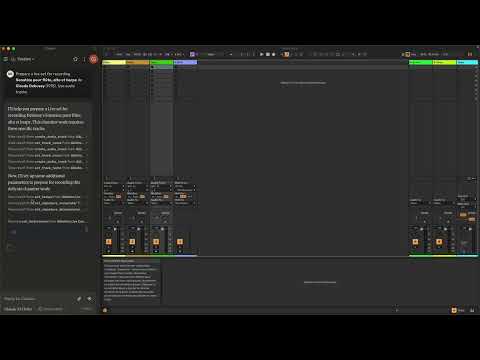](https://www.youtube.com/watch?v=12MzsQ3V7cs)
This project consists of two main components:
- `mcp_ableton_server.py`: The MCP server handling the communication between clients and the OSC daemon.
- `osc_daemon.py`: The OSC daemon responsible for relaying commands to Ableton Live and processing responses.
✨ Features
- Provides an MCP-compatible API for controlling Ableton Live from MCP clients.
- Uses **python-osc** for sending and receiving OSC messages.
- Based on the OSC implementation from [AbletonOSC](https://github.com/ideoforms/AbletonOSC).
- Implements request-response handling for Ableton Live commands.
⚡ Installation
Requirements
- Python 3.8+
- `python-osc` (for OSC communication)
- `fastmcp` (for MCP support)
- [AbletonOSC](https://github.com/ideoforms/AbletonOSC) as a control surface
Installation Steps
- Install `uv` ```bash pip install uv ```
- Clone the repository: ```bash git clone https://github.com/your-username/mcp\_ableton\_server.git cd mcp_ableton_server ```
- Install dependencies: ```bash uv install python-osc fastmcp ```
- Install the MCP Server This assumes that you’re using [Claude Desktop](https://claude.ai/download) ```bash mcp install mcp_ableton_server.py ```
- Install AbletonOSC Follow the instructions at [AbletonOSC](https://github.com/ideoforms/AbletonOSC)
🚀 Usage
Running the OSC Daemon
The OSC daemon will handle OSC communication between the MCP server and Ableton Live: ```bash python osc_daemon.py ``` This will:
- Listen for MCP client connections on port **65432**.
- Forward messages to Ableton Live via OSC on port **11000**.
- Receive OSC responses from Ableton on port **11001**.
Example Usage
In Claude desktop, ask Claude: *Prepare a set to record a rock band* *Set the input routing channel of all tracks that have “voice” in their name to Ext. In 2*
⚙️ Configuration
By default, the server and daemon run on **localhost (127.0.0.1)** with the following ports:
- **MCP Server Socket:** 65432
- **Ableton Live OSC Port (Send):** 11000
- **Ableton Live OSC Port (Receive):** 11001
To modify these, edit the `AbletonOSCDaemon` class in `osc_daemon.py`: ```python self.socket_host = ‘127.0.0.1’ self.socket_port = 65432 self.ableton_host = ‘127.0.0.1’ self.ableton_port = 11000 self.receive_port = 11001 ```
Claude Desktop Configurations
- macOS: `~/Library/Application\ Support/Claude/claude_desktop_config.json`
- Windows: `%APPDATA%/Claude/claude_desktop_config.json`
```json “mcpServers”: { “Ableton Live Controller”: { “command”: “uv”, “args”: [ “run”, “–with”, “mcp[cli]”, “–with”, “python-osc”, “mcp”, “run”, “/Users/simonkansara/Desktop/mcp-ableton-server/mcp-ableton-server.py” ] } } ```
Contributing
Feel free to submit issues, feature requests, or pull requests to improve this project.
License
This project is licensed under the **MIT License**. See the `LICENSE` file for details.
Acknowledgments
- [Model Context Protocol (MCP)](https://modelcontextprotocol.io)
- [python-osc](https://github.com/attwad/python-osc) for OSC handling
- Daniel John Jones for OSC implementation with [AbletonOSC](https://github.com/ideoforms/AbletonOSC)
- Ableton Third Party Remote Scripts
- Julien Bayle @[Structure Void](https://structure-void.com/) for endless inspirations and resources.
TODO
- Explore *resources* and *prompts* primitives opportunities.
- Build a standalone Ableton Live MCP client.