MCP server connecting to Kubernetes

Features ⚙ Browse With Inspector ⚙ Use With Claude ⚙ Contributing


To use latest published version with Inspector you can run this:
npx @modelcontextprotocol/inspector npx @strowk/mcp-k8s
, or to use version built from sources, then in root folder of this project:
tools/inspector/run.sh
Following chat with Claude Desktop demonstrates how it looks when selected particular context as a resource and then asked to check pod logs for errors in kube-system namespace:
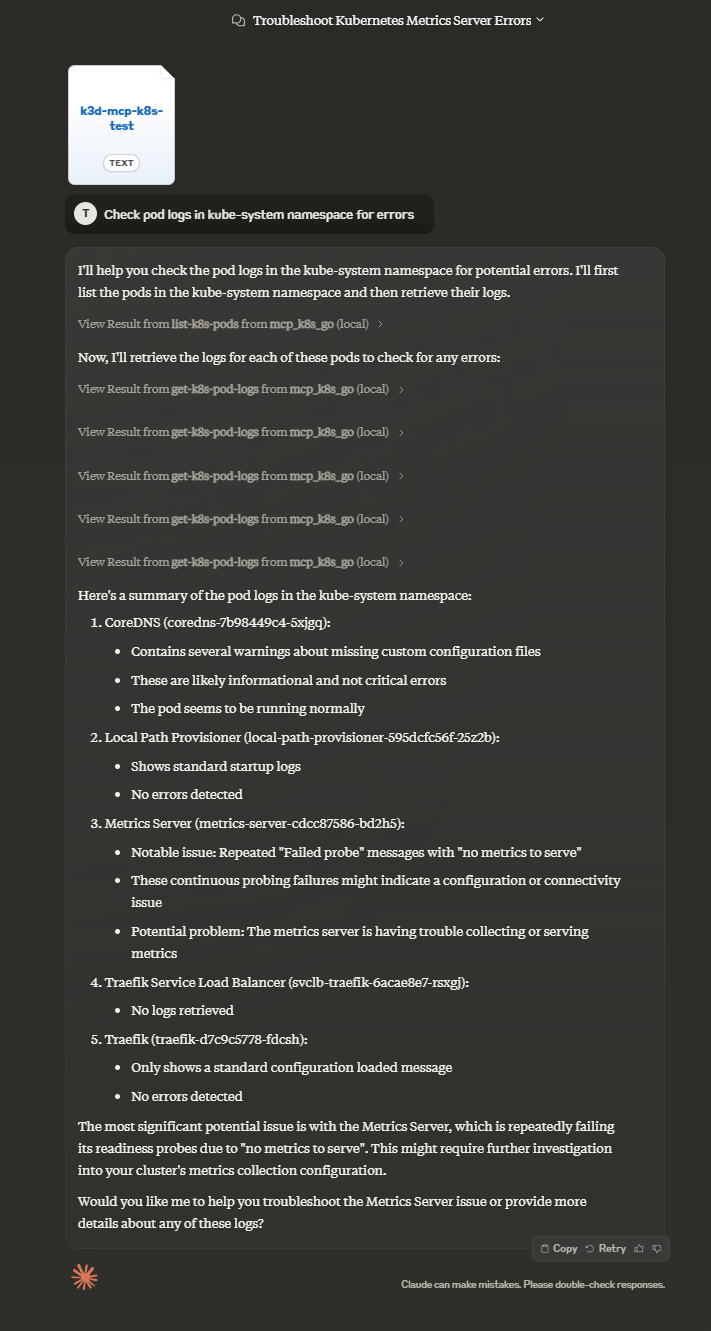
To use this MCP server with Claude Desktop you would firstly need to install it.
You have several options for installation:
| Smithery | mcp-get | Pre-built NPM | Pre-built in Github | From sources | |
|---|---|---|---|---|---|
| Claude Setup | Auto | Auto | Manual | Manual | Manual |
| Prerequisite | Node.js | Node.js | Node.js | None | Golang |
To install MCP K8S Go for Claude Desktop automatically via Smithery:
npx -y @smithery/cli install @strowk/mcp-k8s --client claude
To install MCP K8S Go for Claude Desktop automatically via mcp-get:
npx @michaellatman/mcp-get@latest install @strowk/mcp-k8s
Use this if you have npm installed and want to use pre-built binaries:
npm install -g @strowk/mcp-k8s
Then check version by running mcp-k8s --version and if this printed installed version, you can proceed to add configuration to claude_desktop_config.json file:
{
  "mcpServers": {
    "mcp_k8s": {
      "command": "mcp-k8s",
      "args": []
    }
  }
}
Head to GitHub releases and download the latest release for your platform.
Unpack the archive, which would contain binary named mcp-k8s-go, put that binary somewhere in your PATH and then add the following configuration to the claude_desktop_config.json file:
{
  "mcpServers": {
    "mcp_k8s": {
      "command": "mcp-k8s-go",
      "args": []
    }
  }
}
You would need Golang installed to build this project:
go get github.com/strowk/mcp-k8s-go
go install github.com/strowk/mcp-k8s-go
, and then add the following configuration to the claude_desktop_config.json file:
{
  "mcpServers": {
    "mcp_k8s_go": {
      "command": "mcp-k8s-go",
      "args": []
    }
  }
}
Now you should be able to run Claude Desktop and:
The following environment variables are used by the MCP server:
KUBECONFIG: Path to your Kubernetes configuration file (optional, defaults to ~/.kube/config)Check out CONTRIBUTION.md{:target=“_blank”} for more information on how to contribute to this project.

Mcp Crypto Price
A Model Context Protocol (MCP) server that provides real-time cryptocurrency analysis via CoinCap's API. Enables Claude and other MCP clients to fetch crypto prices, analyze market trends, and track historical data.

Mcp Api Expert
MCP server that enables MCP to make REST API calls

Mac Shell Mcp
An MCP (Model Context Protocol) server for executing macOS terminal commands with ZSH shell. This server provides a secure way to execute shell commands with built-in whitelisting and approval mechanisms.


MCP server for FindMine's product styling AI

A Python-based MCP (Model Context Protocol) server that predicts the origin

A Cloudflare Worker that serves as an MCP (Model Context Protocol) server for code explanation. It analyzes and explains code with a comprehensive breakdown of structure and functionality.

