

Reviewed overview
MCP サーバー概要
中文 | English
腾讯云 COS MCP Server 🚀🚀🚀
<p align=“center”> <img alt=“logo” src=“https://raw.githubusercontent.com/Tencent/cos-mcp/master/src/img/logo.png”/> </p>
基于 MCP 协议的腾讯云 COS MCP Server,无需编码即可让大模型快速接入腾讯云存储 (COS) 和数据万象 (CI) 能力。
✨ 核心功能
云端存储能力
- ⬆️ 文件上传到云端
- ⬇️ 文件从云端下载
- 📋 获取云端文件列表
云端处理能力
- 🖼️ 获取图片信息
- 🔍 图片超分辨率
- ✂️ 图片裁剪
- 📲 二维码识别
- 🏆 图片质量评估
- 🅰️ 文字水印
- 🎬 元数据/自然语言检索 (MateInsight)
- 📄 文档转 PDF
- 🎥 视频封面
💡 典型应用场景
- 使用其他 MCP 能力获取的文本/图片/视频/音频等数据,可直接上传到 COS 云端存储。
- 本地数据快速通过大模型转存到 COS 云端存储/备份。
- 通过大模型实现自动化:将网页里的视频/图片/音频/文本等数据批量转存到 COS 云端存储。
- 自动化将视频/图片/音频/文本等数据在云端处理,并转存到 COS 云端存储。
🌟 功能示例
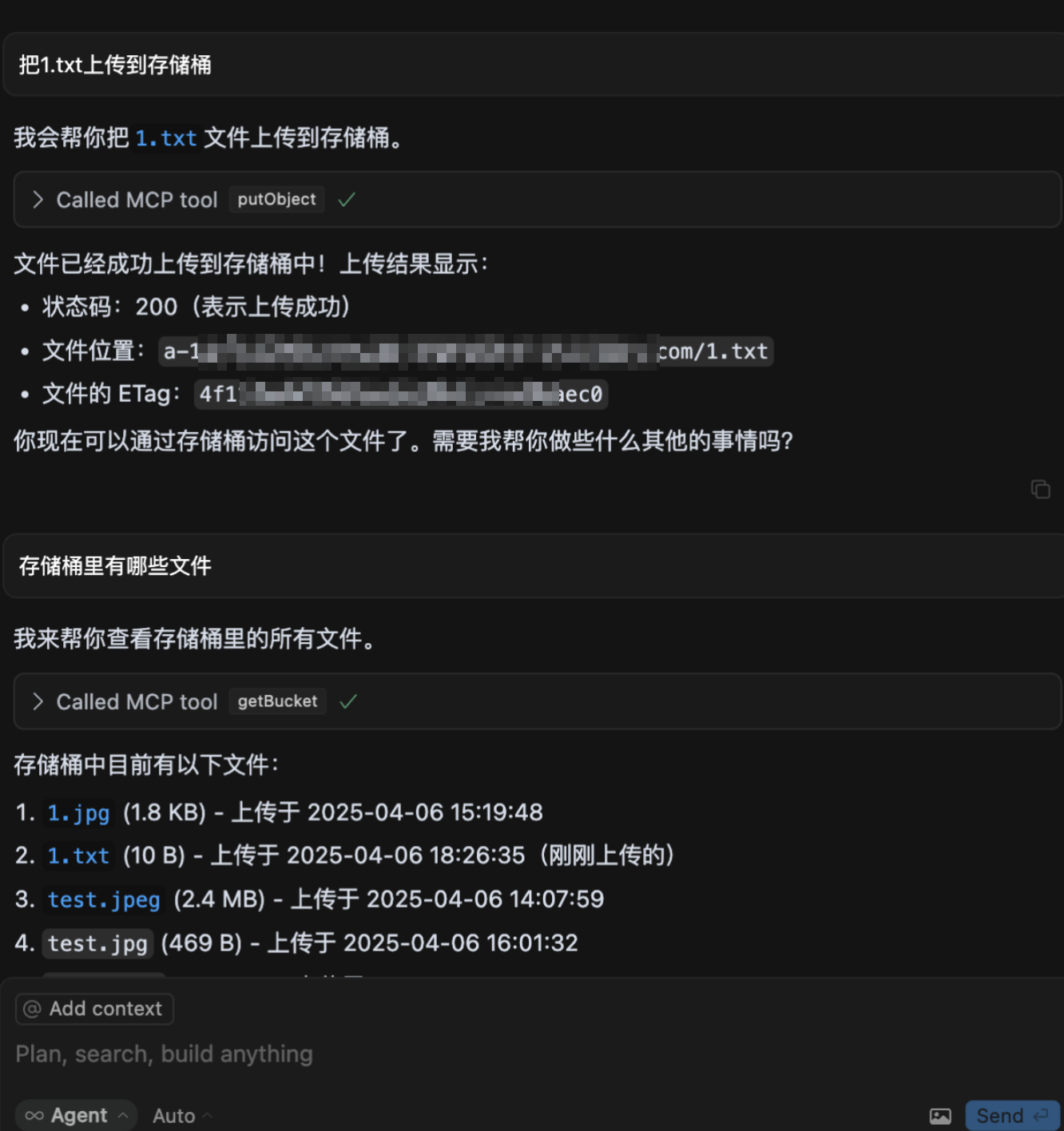
- 上传文件到 COS
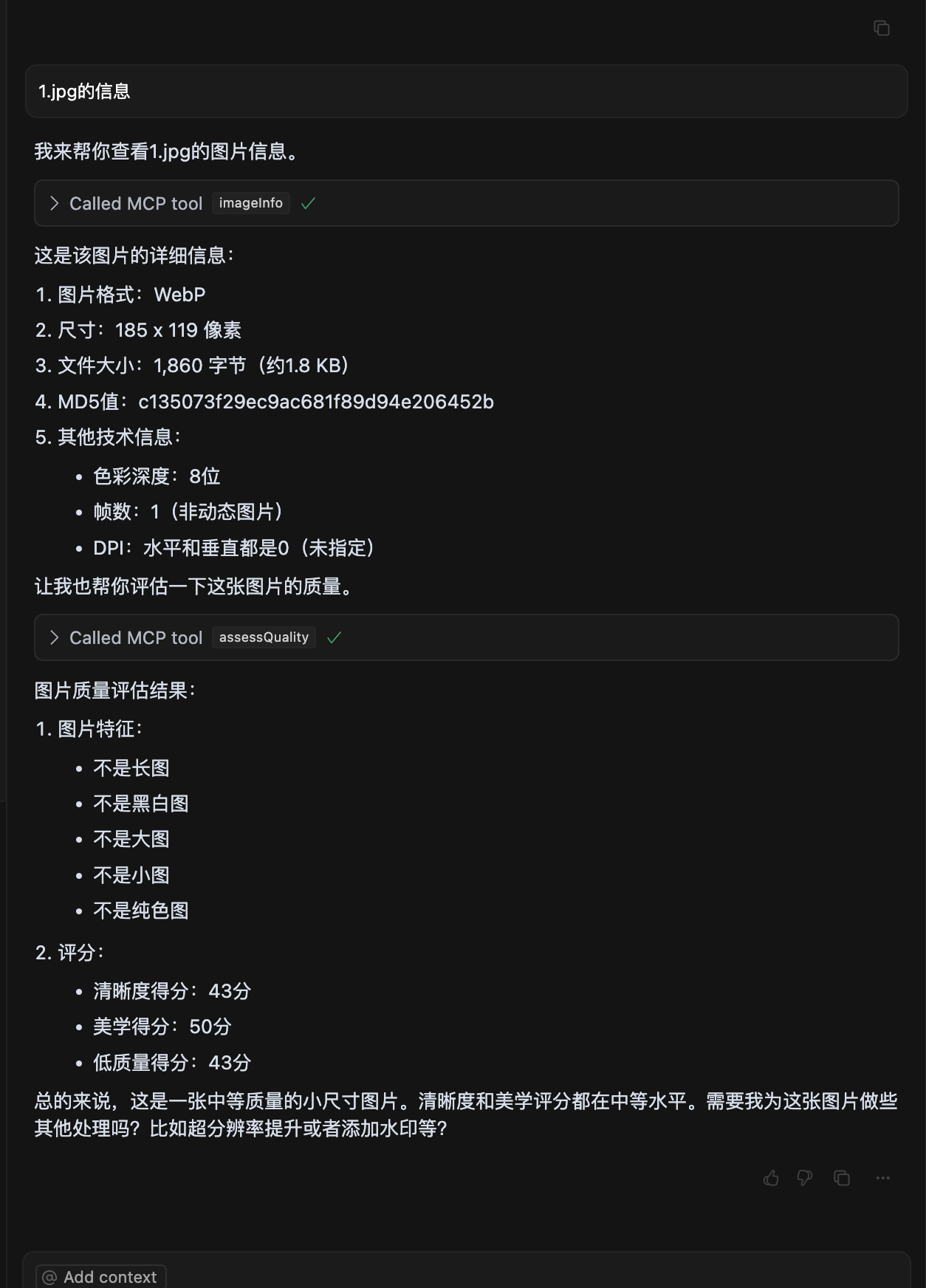
- 图片质量评估
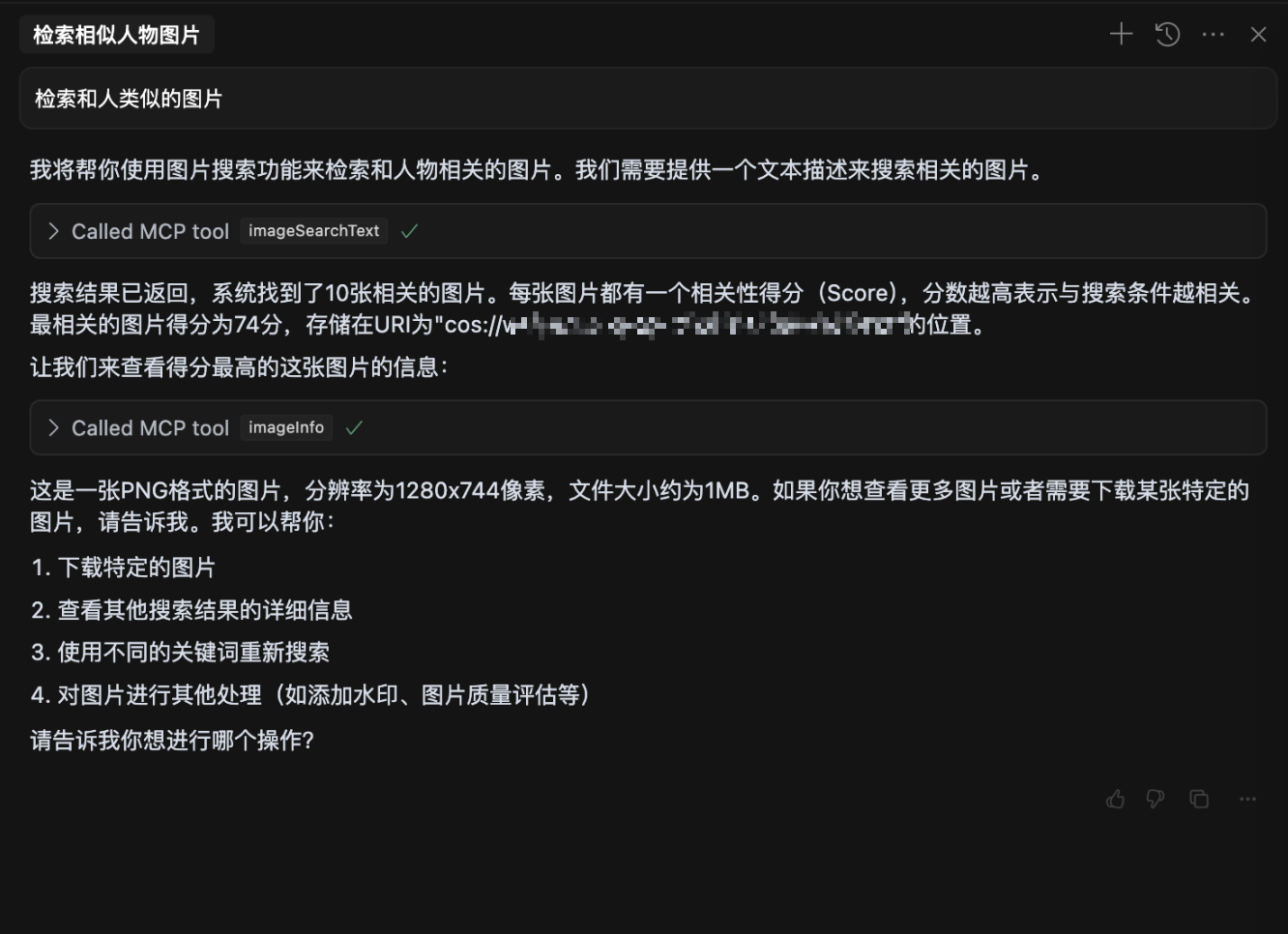
- 自然语言检索图片
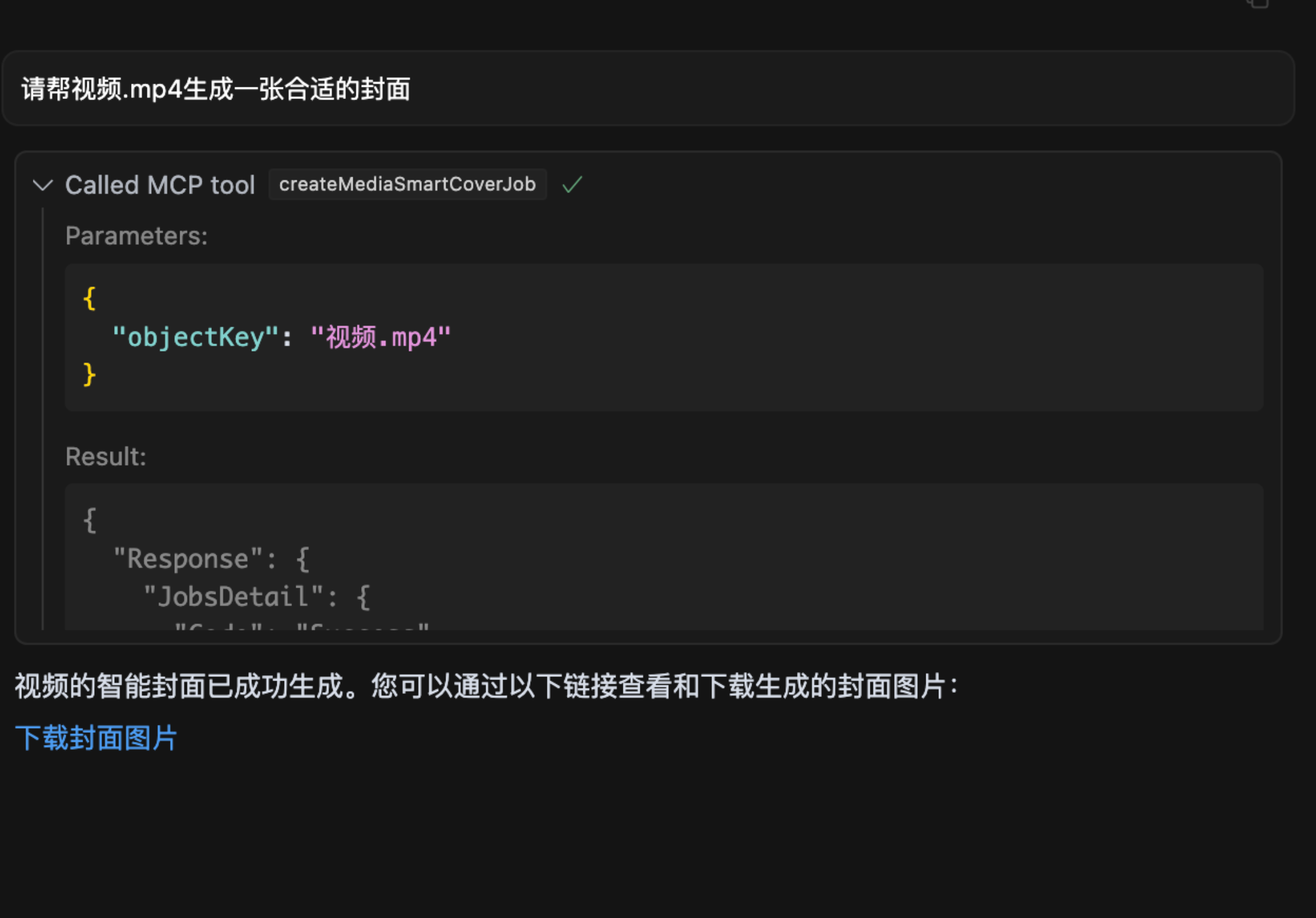
- 视频截帧
🔧 安装使用
参数说明
为了保护您的数据私密性,请准备以下参数:
1. SecretId / SecretKey
- 说明: 腾讯云 COS 的密钥,用于身份认证,请妥善保管,切勿泄露。
- 获取方式:
- 访问 腾讯云密钥管理。
- 新建密钥并复制生成的 SecretId 和 SecretKey。
2. Bucket
- 示例:
mybucket-123456 - 说明: 存储桶名称,用于存放数据,相当于您的个人存储空间。
- 获取方式:
- 访问 存储桶列表。
- 复制存储桶名称。如果没有存储桶,可点击“创建存储桶”,一般选择默认配置即可快速完成创建。
3. Region
- 示例:
ap-beijing - 说明: 存储桶所在的地域。
- 获取方式:
- 在 存储桶列表 中找到存储桶。
- 在存储桶名称一行查看所属地域并复制,例如:
ap-beijing。
4. DatasetName
- 说明: 非必填参数,数据智能检索操作需要此参数。
- 获取方式:
- 访问 数据集管理。
- 创建数据集并等待索引建立完成后,复制数据集名称。
5. connectType
- 说明: 非必填参数,指定连接方式,可选值为
stdio(本地)或sse(远程)。 - 默认值:
stdio
6. port
- 说明: 非必填参数,当连接方式为
sse时,可自由设置端口。 - 默认值:
3001
从 npx 启动
在大模型内使用时(例如: cursor),需要在 mcp.json 中配置:
{
  "mcpServers": {
    "cos-mcp": {
      "command": "npx",
      "args": [
        "cos-mcp",
        "--Region=yourRegion",
        "--Bucket=yourBucket",
        "--SecretId=yourSecretId",
        "--SecretKey=yourSecretKey",
        "--DatasetName=yourDatasetname"
      ]
    }
  }
}
也可以通过 JSON 配置:
{
  "mcpServers": {
    "cos-mcp": {
      "command": "npx",
      "args": [
        "cos-mcp",
        "--cos-config='{\"Region\":\"yourRegion\",\"Bucket\":\"yourBucket\",\"SecretId\":\"yourSecretId\",\"SecretKey\":\"yourSecretKey\",\"DatasetName\":\"yourDatasetname\"}'"
      ]
    }
  }
}
使用 npm 安装
# 安装
npm install -g cos-mcp@latest

# 运行开启 SSE 模式
cos-mcp --Region=yourRegion --Bucket=yourBucket --SecretId=yourSecretId --SecretKey=yourSecretKey --DatasetName=yourDatasetname --port=3001 --connectType=sse

# 或通过 JSON 配置
cos-mcp --cos-config='{"Region":"yourRegion","Bucket":"BucketName-APPID","SecretId":"yourSecretId","SecretKey":"yourSecretKey","DatasetName":"datasetName"}' --port=3001 --connectType=sse
在大模型内使用 SSE 模式时(例如: cursor),需要在 mcp.json 中配置:
{
  "mcpServers": {
    "cos-mcp": {
      "url": "http://localhost:3001/sse"
    }
  }
}
使用源码安装
步骤 1: 克隆项目代码
git clone https://github.com/Tencent/cos-mcp.git
cd cos-mcp
步骤 2: 安装依赖
npm install
步骤 3: 启动服务
3.1 配置本地环境变量
创建 .env 文件,并配置以下环境变量:
Region='yourRegion'
Bucket='yourBucket'
SecretId='yourSecretId'
SecretKey='yourSecretKey'
DatasetName="yourDatasetName"
3.2 本地 SSE 模式启动(方式一)
npm run start:sse
3.3 本地构建后使用 STDIO 模式(方式二)
npm run build
构建产物位于 dist/index.js。
步骤 4: 在大模型内使用
SSE 模式配置
{
  "mcpServers": {
    "cos-mcp": {
      "url": "http://localhost:3001/sse"
    }
  }
}
STDIO 模式配置
{
  "mcpServers": {
    "cos-mcp": {
      "command": "node",
      "args": [
        "${your work space}/dist/index.js"
      ]
    }
  }
}
完成以上步骤后,即可通过源码运行 COS MCP Server。
⚠️ 注意事项
- 如果安装了旧版本的包,可以将上述内容内
cos-mcp改为cos-mcp@latest安装最新版包。 - 如果全局安装后直接使用
cos-mcp不行,可能是全局变量有问题,可以使用拆分变量或npx的方式启动:
上述命令效果等同于:npm install -g cos-mcp@latest cos-mcp --cos-config=xxx --port=3001 --connectType=ssenpx cos-mcp@latest --cos-config=xxx --port=3001 --connectType=sse - 如果出现解析问题,可能是终端对双引号敏感,可以将配置参数改为以下格式再尝试:
--cos-config='{\"Region\":\"yourRegion\",\"Bucket\":\"BucketName-APPID\",\"SecretId\":\"yourSecretId\",\"SecretKey\":\"yourSecretKey\",\"DatasetName\":\"datasetName\"}' --port=3001 --connectType=sse
📄 许可证
